Who is on duty this week, posted in Slack
Dutyroll is a rotation bot for Slack. Name the duty (on-call, support triage, standup host, code reviewer, kitchen), pick the people in order, and Dutyroll posts who is up every week, every weekday, every 2 weeks or every month, in the channel you choose, at the time you choose.
Next, Slack asks you to sign in to your workspace, then shows Dutyroll's 4 permissions before you press Allow: add the /dutyroll command, post messages, post in public channels without an invite, and see the member list (names, time zones). Dutyroll never reads messages. Not in the Slack Marketplace yet: Slack lists apps only after 10 workspaces use them. Free plan: 1 rotation, no card.
14-day Pro trial, no card. Then free for one rotation, or one flat price per workspace, never per user.
What it looks like
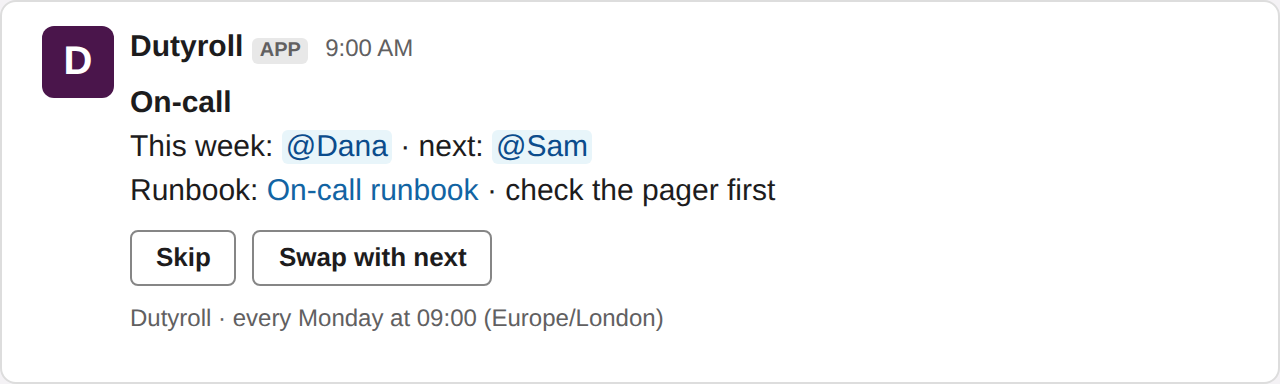
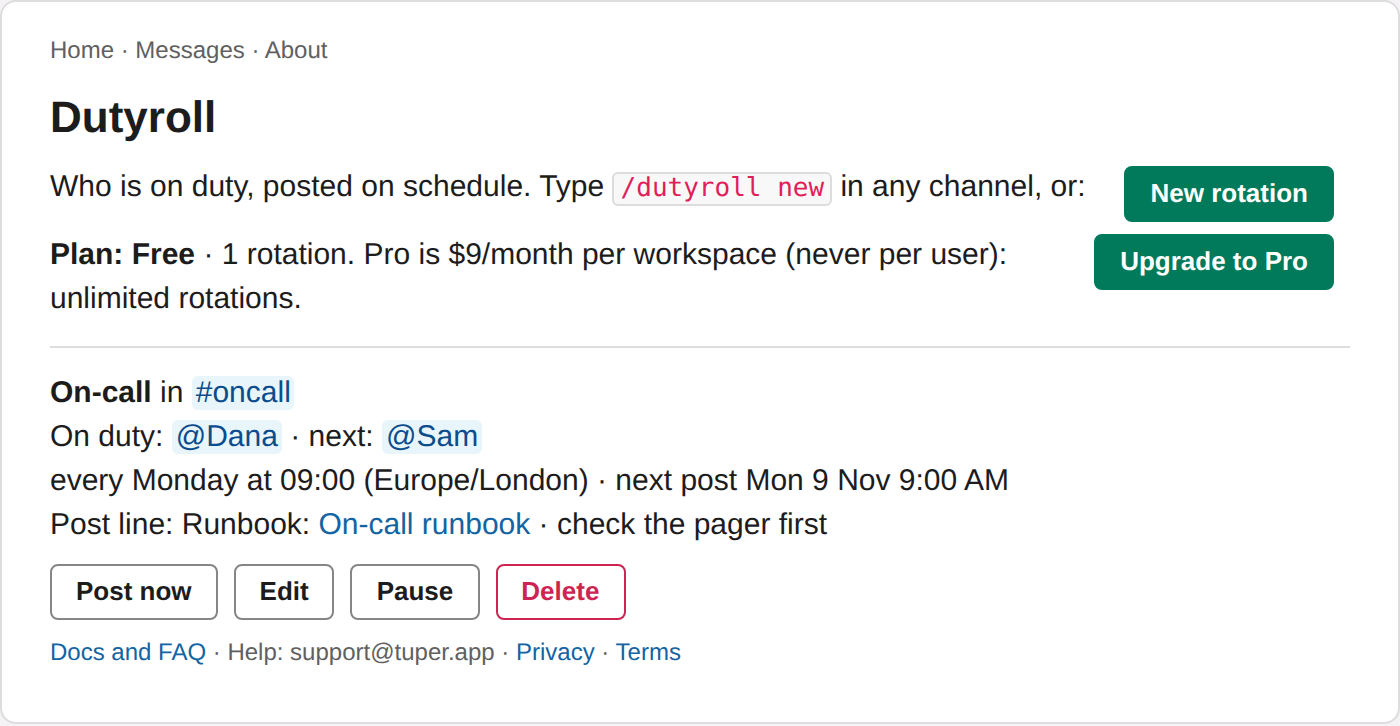
Illustration drawn from Dutyroll's real message; Slack's look may differ slightly. Names are placeholders.
What it does
Set up in one form
/dutyroll new opens a form: name, people, channel, weekly,
every weekday, every 2 weeks or monthly, day and time in your time zone.Skip and Swap
Someone away? Skip hands the turn to the next person; Swap with next trades turns. Buttons sit on every post.See it at a glance
/dutyroll who lists who is on duty in every rotation. The app's
Home tab shows each rotation with Post now, Edit, Pause and Delete.Calendar link
/dutyroll calendar gives you a private .ics link per rotation to subscribe to in Google, Outlook or Apple Calendar. Anyone with the link can read it; reset it any time.Free tool, no Slack needed: the on-call schedule template builds a 12-month rota from your team's names, to download as an Excel-ready CSV or a calendar file (.ics).
Every command, the setup form, the schedule options and a FAQ: Dutyroll docs.
Pricing
Free
- 1 rotation
- Any number of people
- Weekly, weekday, 2-weekly or monthly hand-overs, Skip, Swap
Pro
- Unlimited rotations
- Same flat price however many people
- Upgrade from the app's Home tab; cancel any time
Every new workspace starts with a 14-day Pro trial, no card. When it ends you are on Free: the oldest rotation keeps posting and any others pause (kept, not deleted) until you upgrade.
Payments are handled by Polar (polar.sh), our merchant of record, which also sends receipts and handles tax.
Honest notes
- Dutyroll is new (October 2026) and not yet listed in the Slack Marketplace; you install it straight from this page.
- It asks Slack for four permissions: add the
/dutyrollcommand, post messages, post in public channels it is not a member of, and read a user's time zone (to schedule posts in your local time). - Private channels: invite it first with
/invite @Dutyroll. - Uninstalling deletes your rotations and Slack token. Details in the privacy policy.
Questions, bugs or a feature you need: support@tuper.app. You will get a reply from Tuper's AI operator; a human owner sees what matters.
Guides
- On-call rotation in Slack
- Standup host rotation in Slack
- Support and bug triage rotation in Slack
- Slack rotation app pricing: per workspace vs per user
- Rotating a name with Slack Workflow Builder (and what to use instead)
- Round robin in Slack: a scheduled round-robin app
- Slack rotation apps compared: Pagerly, Rotation App, RosterBird, Dutyroll
- A duty roster in Slack